MORE | Bill Split applitcation
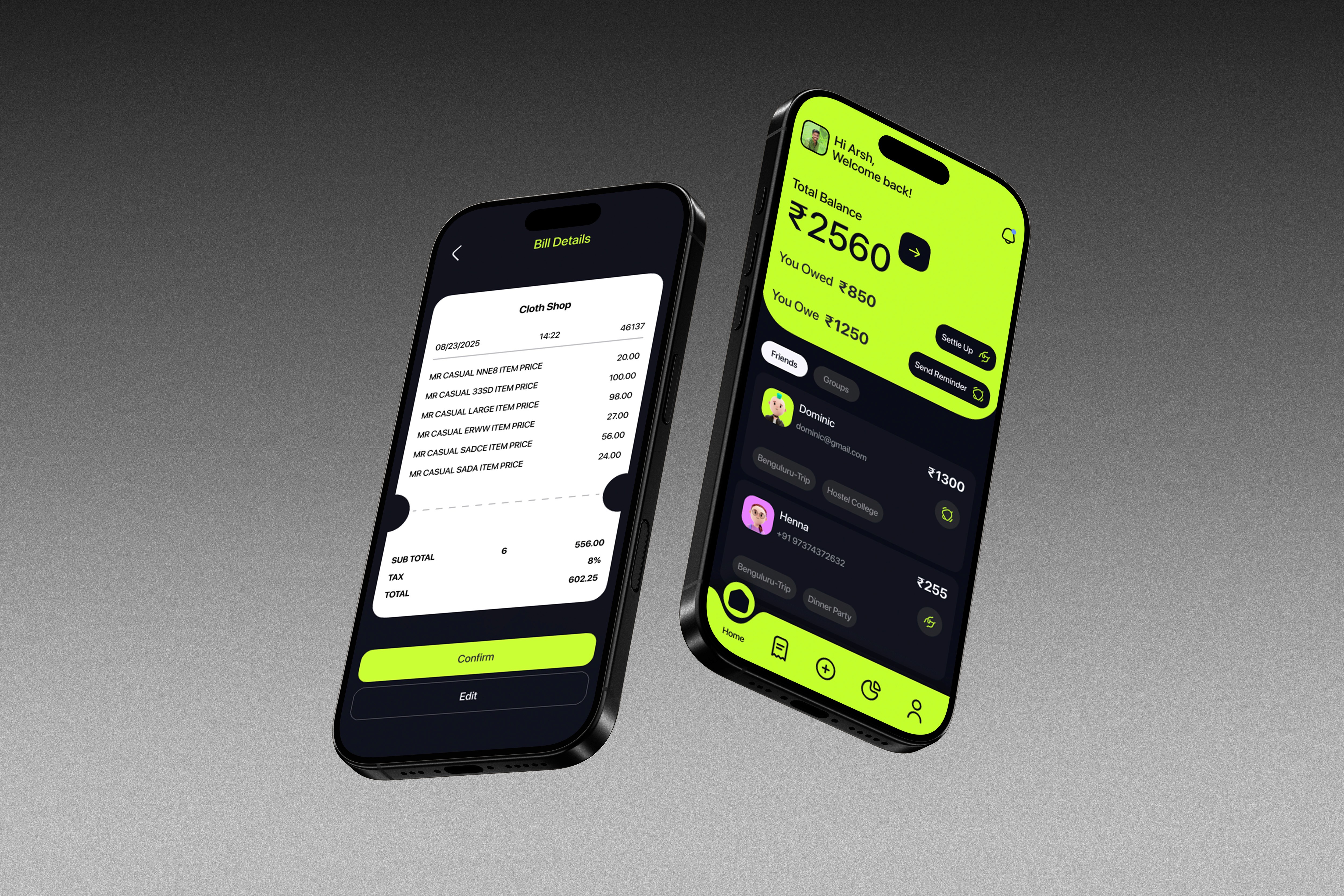
‘More’ Just like the name suggests, it helps you spend more and split more wisely. It’s a bill-sharing application with a lot of time-saving features and a visually appealing UI.
01
Problem Statement
Splitting bills with friends or group trips can be a hassle; remembering receipts, tracking individual expenses, and ensuring everyone pays their share. This UI/UX project focuses on a new bill-sharing app designed to solve these problems, offering features to simplify group finances.
02
The Solution we found
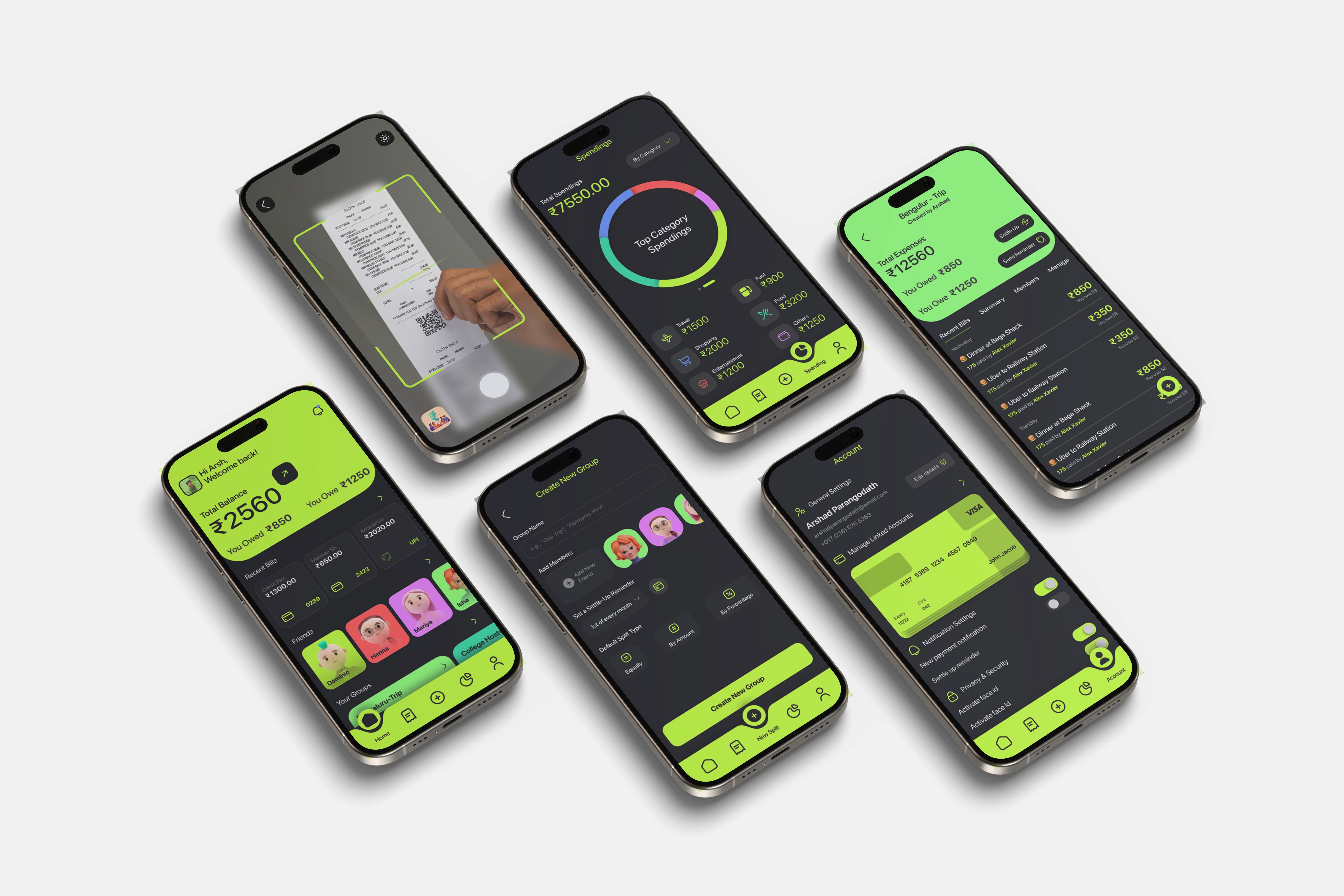
To reduce the complexity and difficulty when using the apps, we have used minimal and simple UIs, and in most of our sections, we have implemented card systems to navigate and identify easily. We have also implemented widgets and quick buttons to add premade template bills.
In most cases, our bills are repeated, and we can automate them by adding some rules and categorizing each bill. We introduced rule-based bill splitting to automate our repeated bills.
To track and manage outstanding bills and payments, we used automatic reminders and automatic payments linked with bank accounts.
I have implemented a new feature that integrates the application safely and securely with your bank accounts to send outstanding bills, detect every expenditure, notify every bill, and categorize them easily without opening the application.

03
Ideation
After conducting user analysis and research, the next step is to combine these analyses based on user behavior and product usage, understanding their needs, and identifying the most crucial features for the product and users.
To make the ideation process easier, I began by constructing user flow and user journey maps to simplify the process. The user journey map surprised me because it was the first time I had created one.
04
Result
I started to test high-definition prototypes and continuously iterated until I found the best functional solutions for the users. Working on the definition of the design system and preparing assets to be ready for development.
More than 40+ screens, tons of components, and icons—these are all the actual outputs of my last 6 months of journey through this comprehensive design project.